1两种身份进门Two ways in
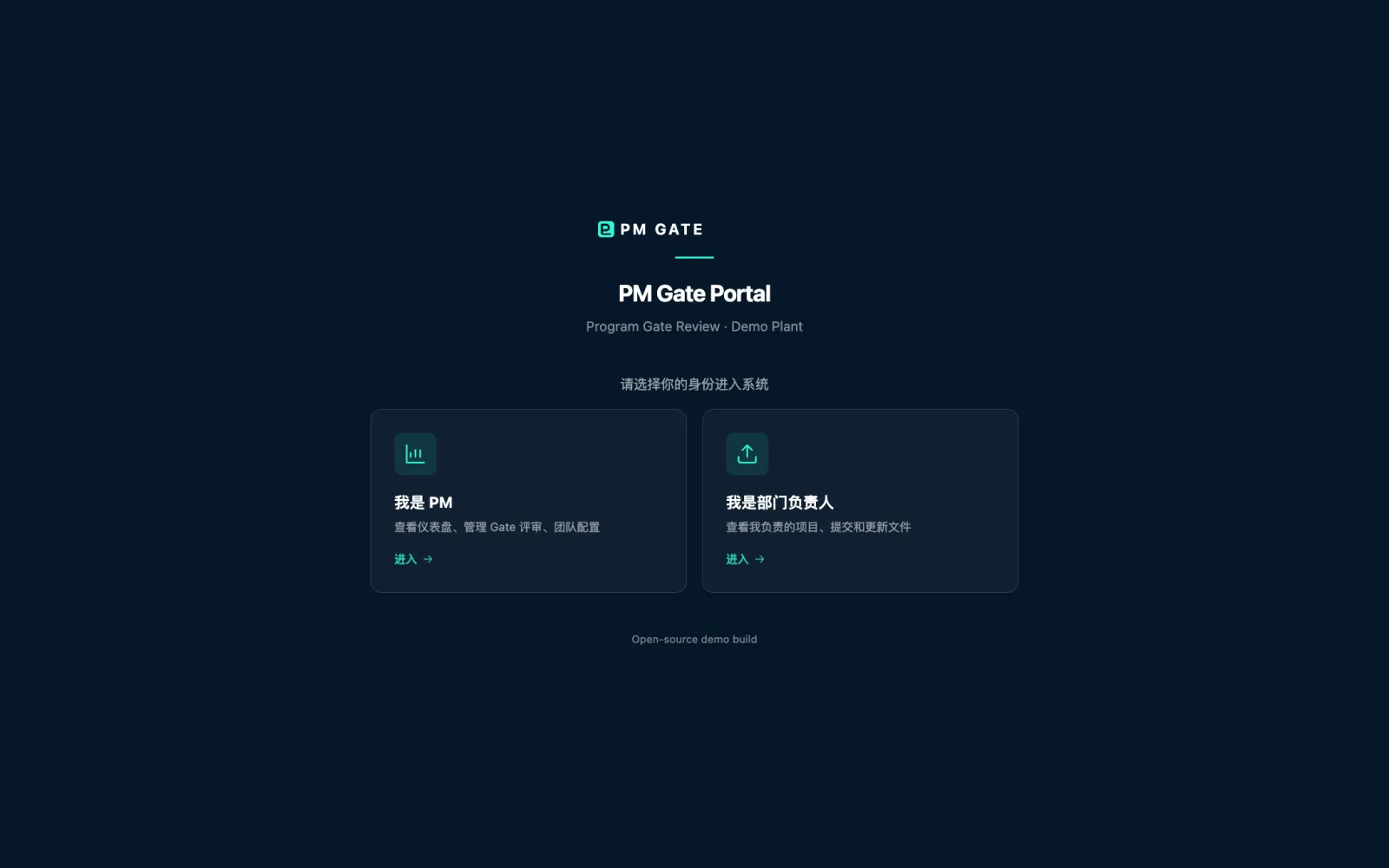
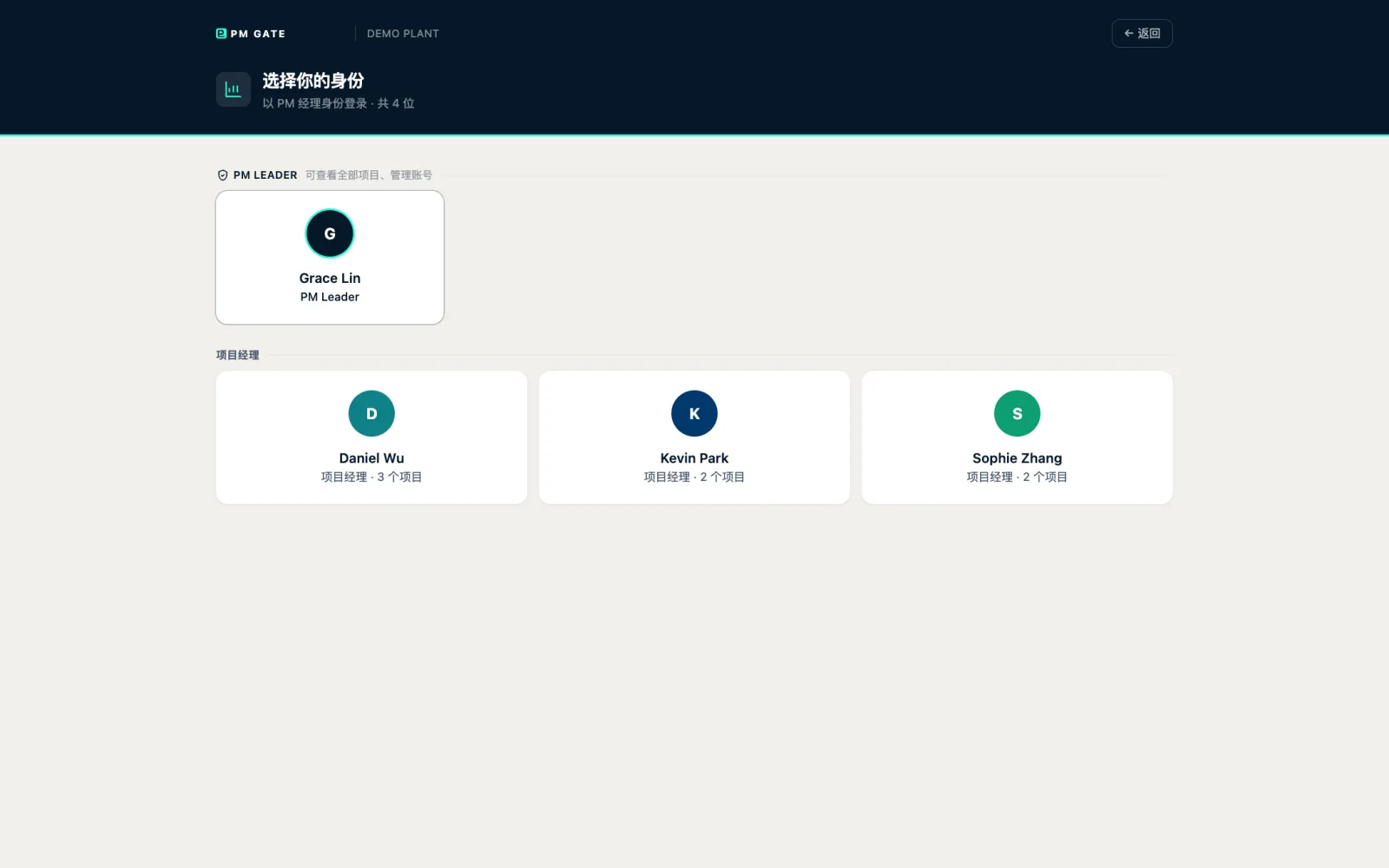
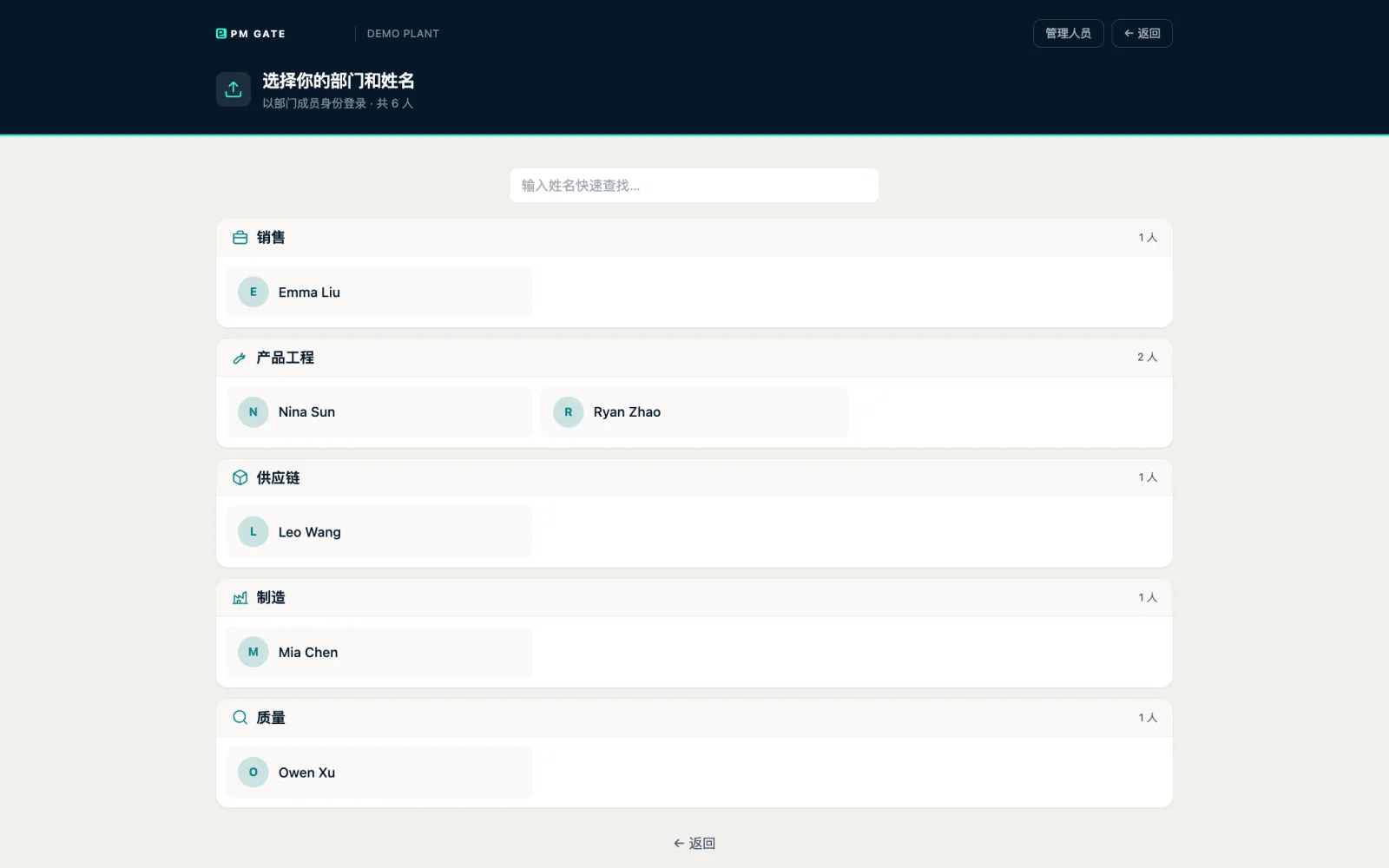
PM 点自己的名字进仪表盘;部门同事按部门找到自己,进「我的提交」。没有注册页,账号只能由项目里的邀请建立。
PMs click their own name and land on the dashboard; department colleagues find themselves under their function and land on "my submissions". There is no sign-up page: accounts only come from a program invitation.
2每天第一眼:仪表盘First thing every morning: the dashboard
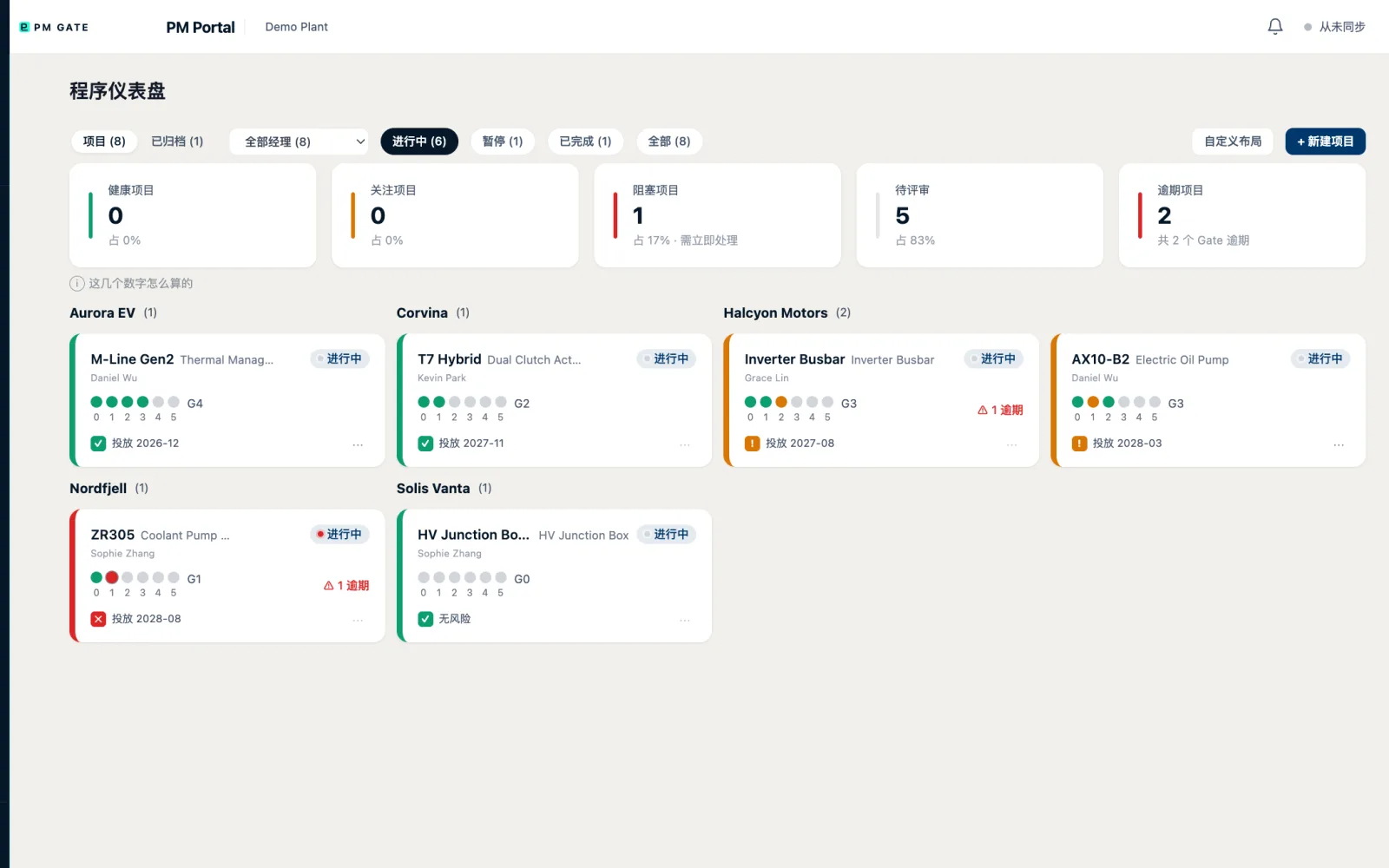
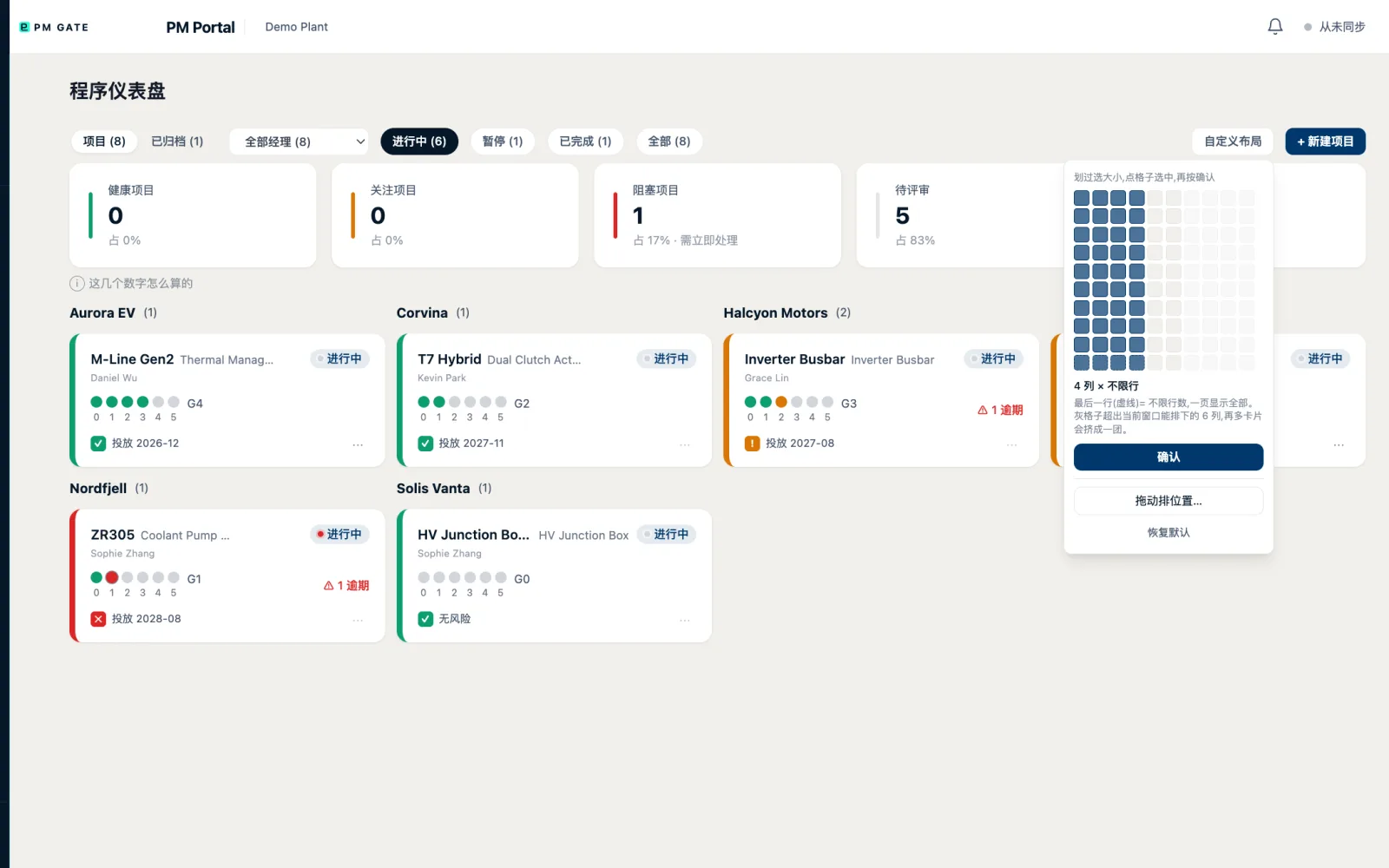
五个数字回答 PM 最关心的事;卡片墙按客户分组,每张卡是一个项目的 Gate 点阵、当前 Gate、逾期条目数和投放风险。逾期是按矩阵里真实的交付条目算的。
Five numbers answer what a PM cares about most; the card wall is grouped by customer, and each card shows a program's gate dots, current gate, overdue count and launch risk. Overdue is computed from real deliverable items, not guessed.
3一页看全一个项目One program, one page
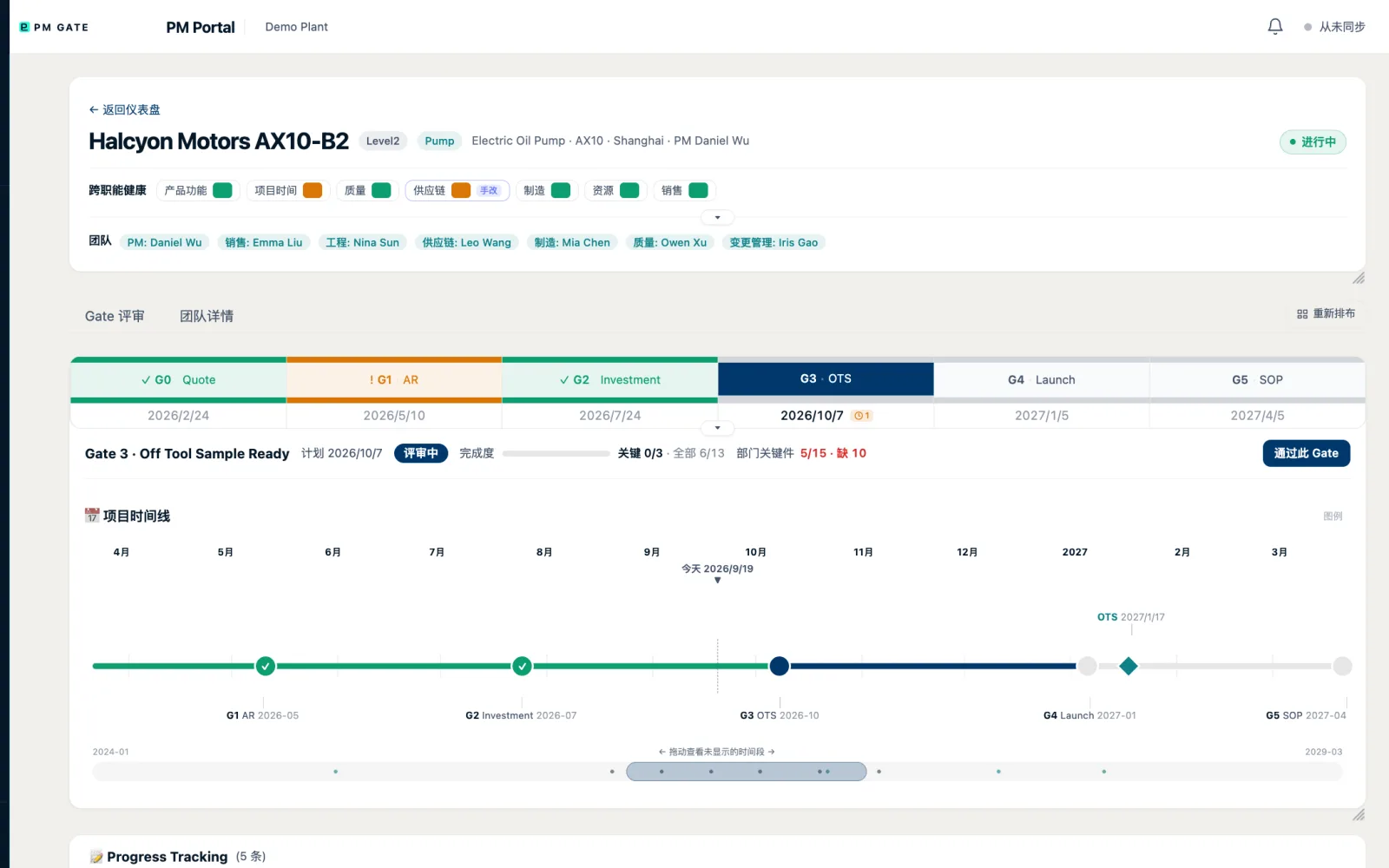
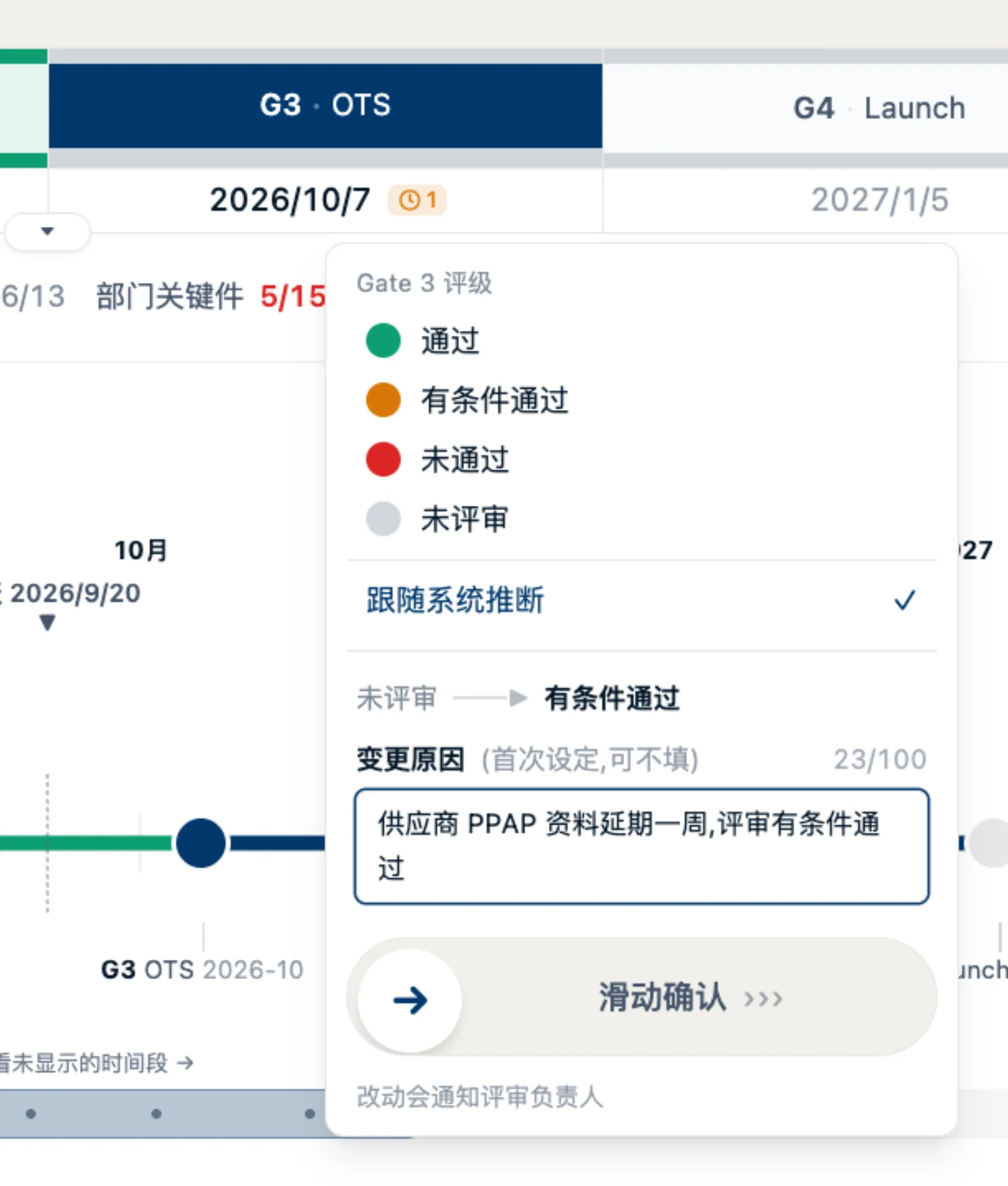
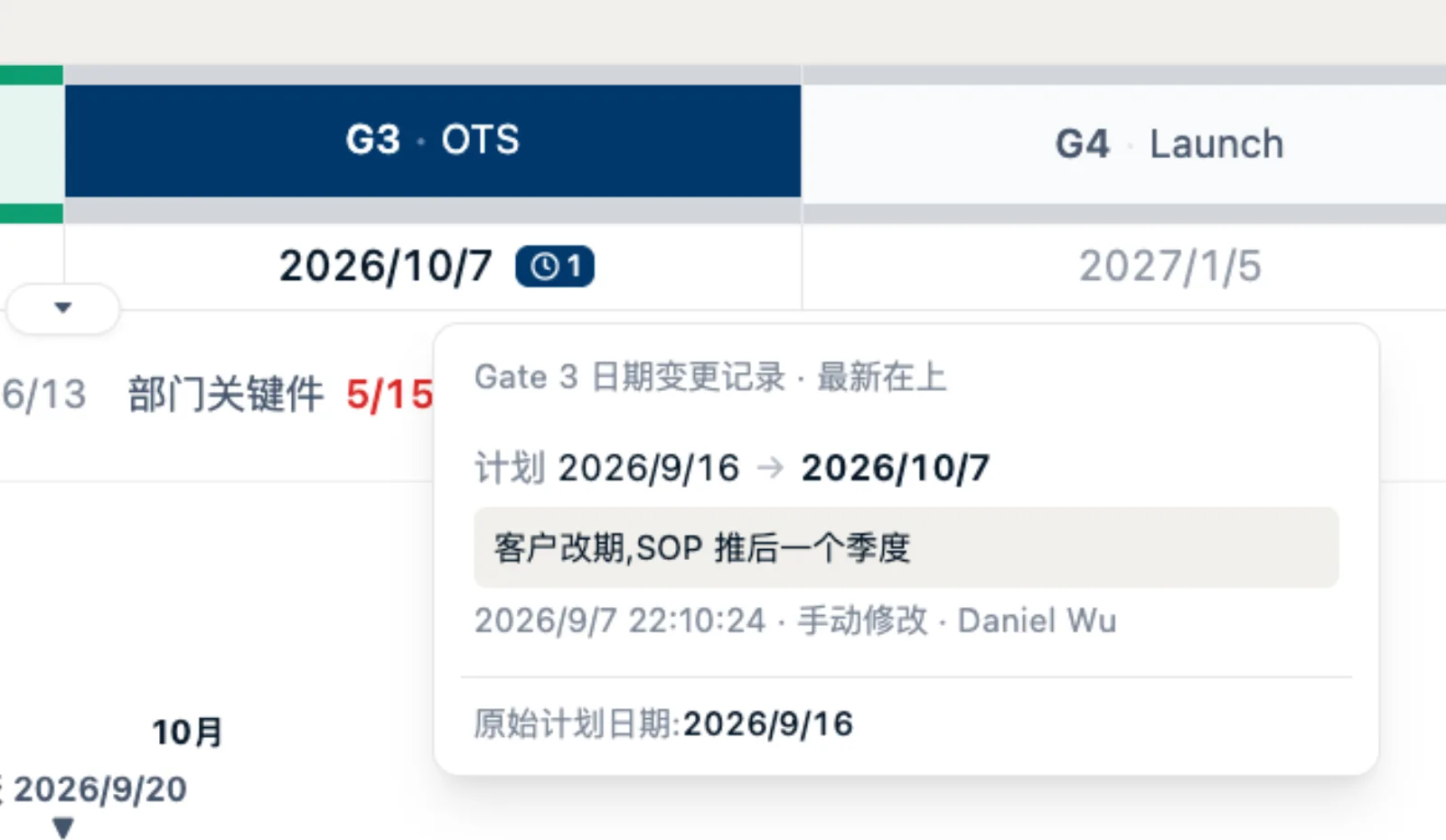
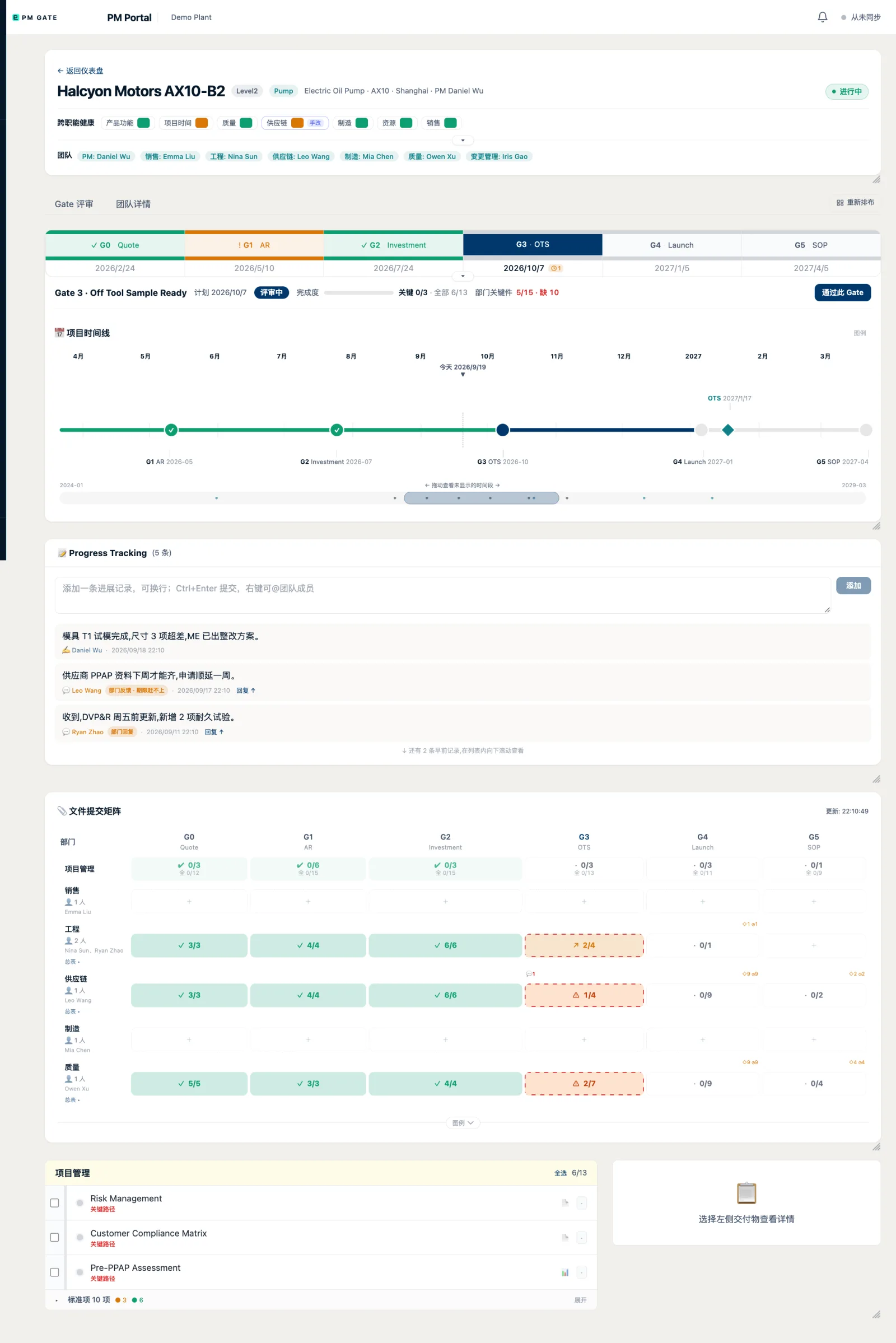
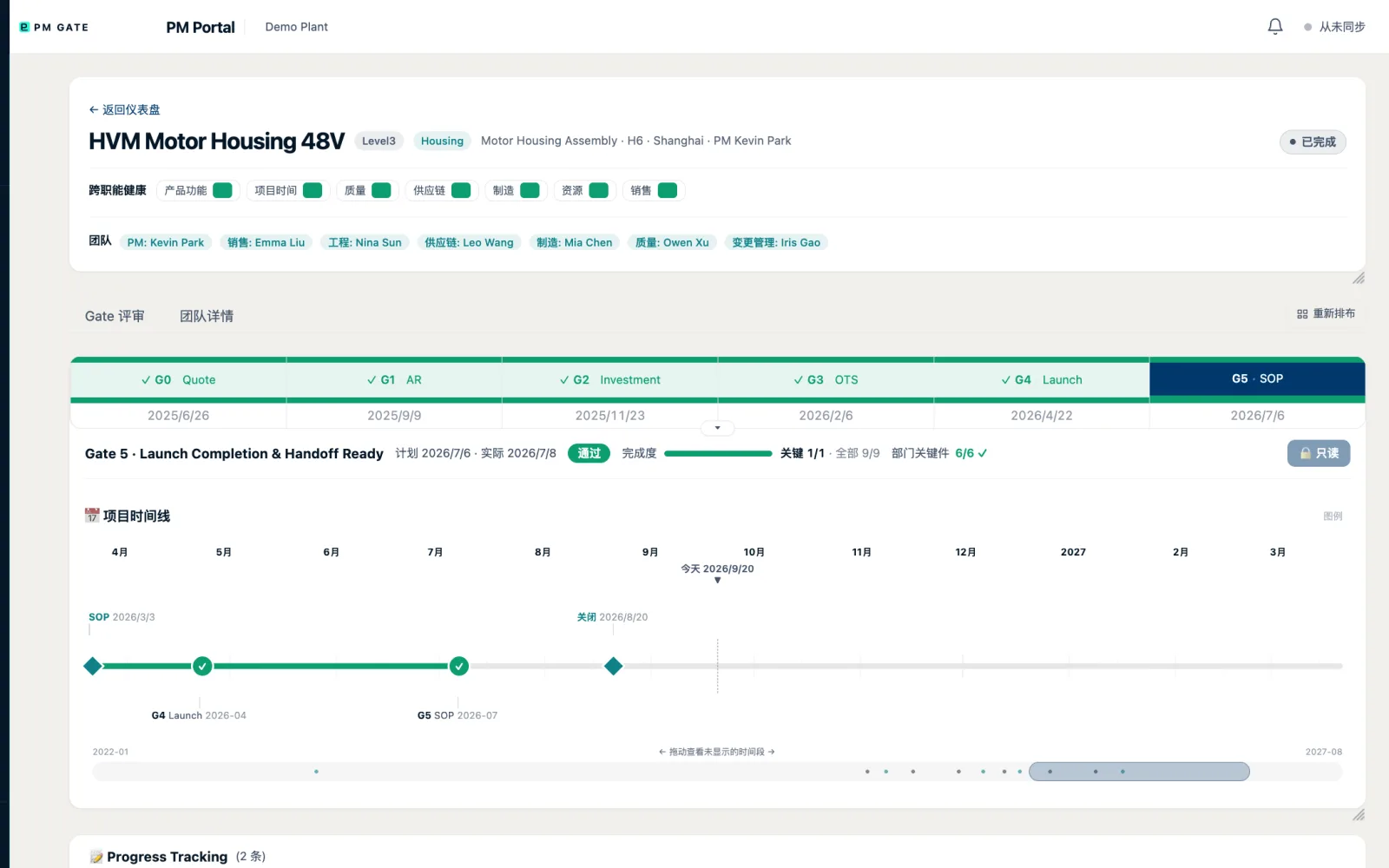
跨职能健康七格、团队一行、Gate 0–5 时间线卡、甘特式项目时间线和进展备忘都在同一页。改评级和改日期都必须填原因,每一次改动都进流水。
Seven health cells, the team row, Gate 0–5 cards, a Gantt-style timeline and the progress log share one page. Changing a rating or a date requires a reason, and every change is kept in history.

4Gate 里的活:检查表与文件矩阵Inside a gate: checklist and deliverable matrix
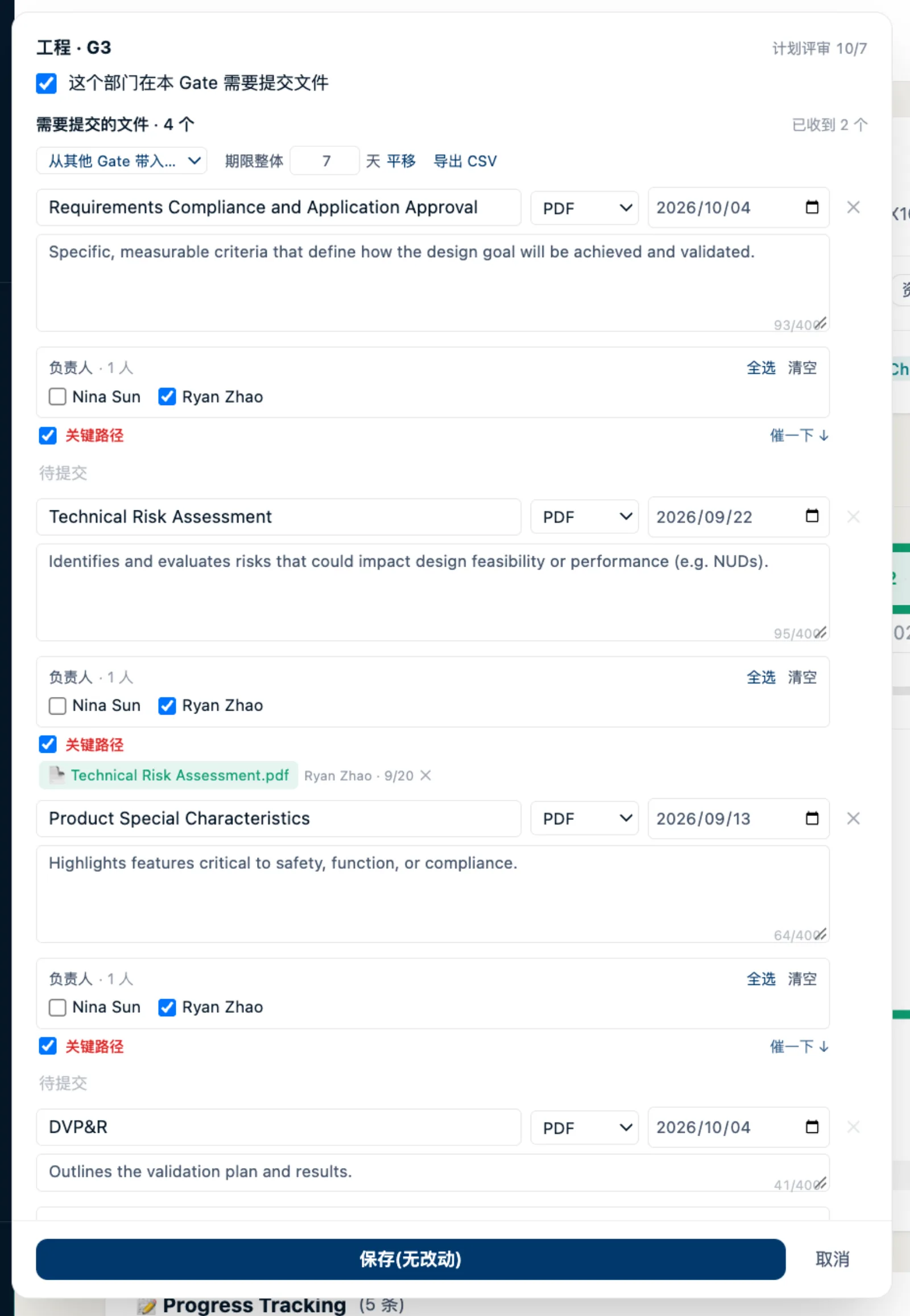
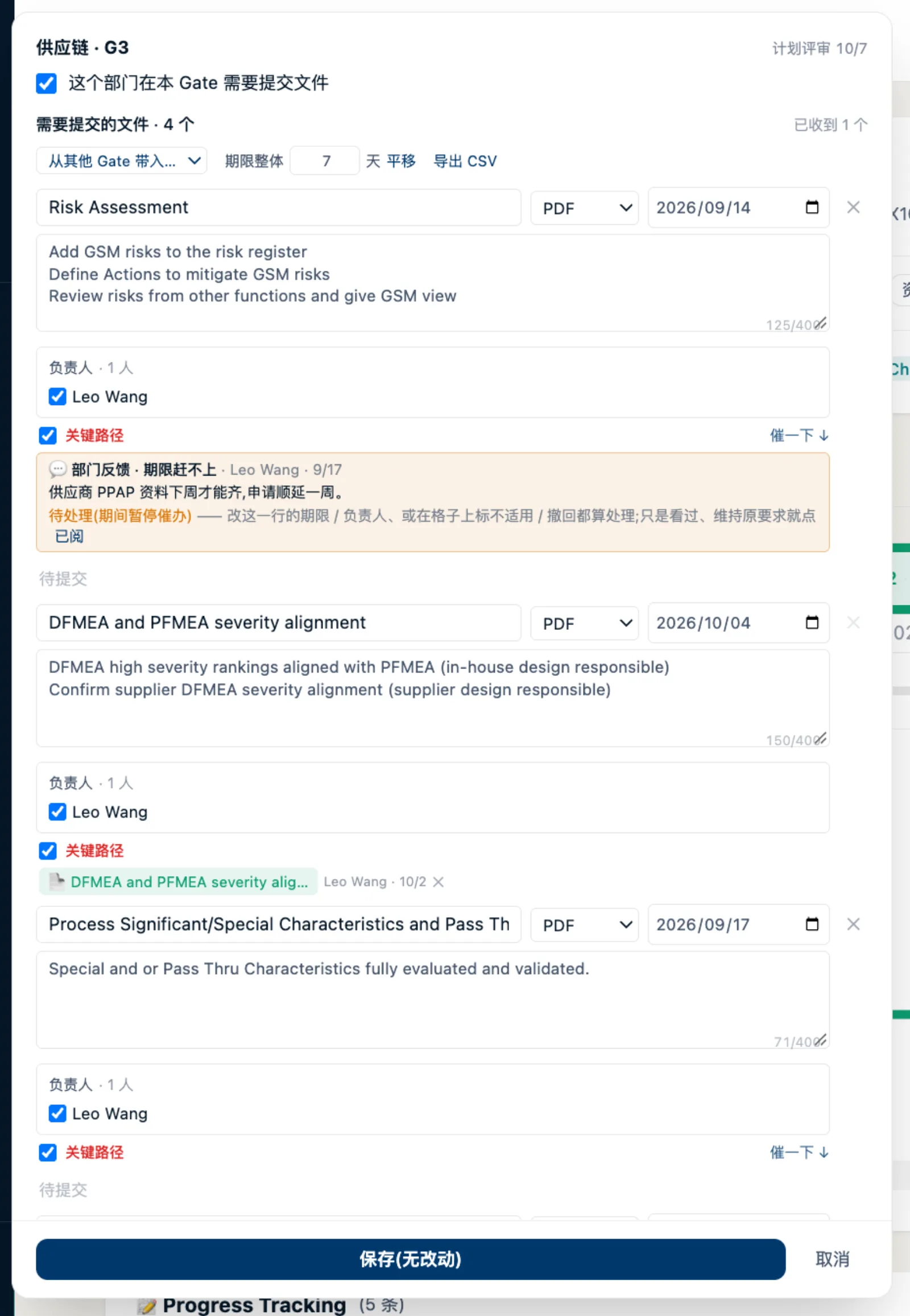
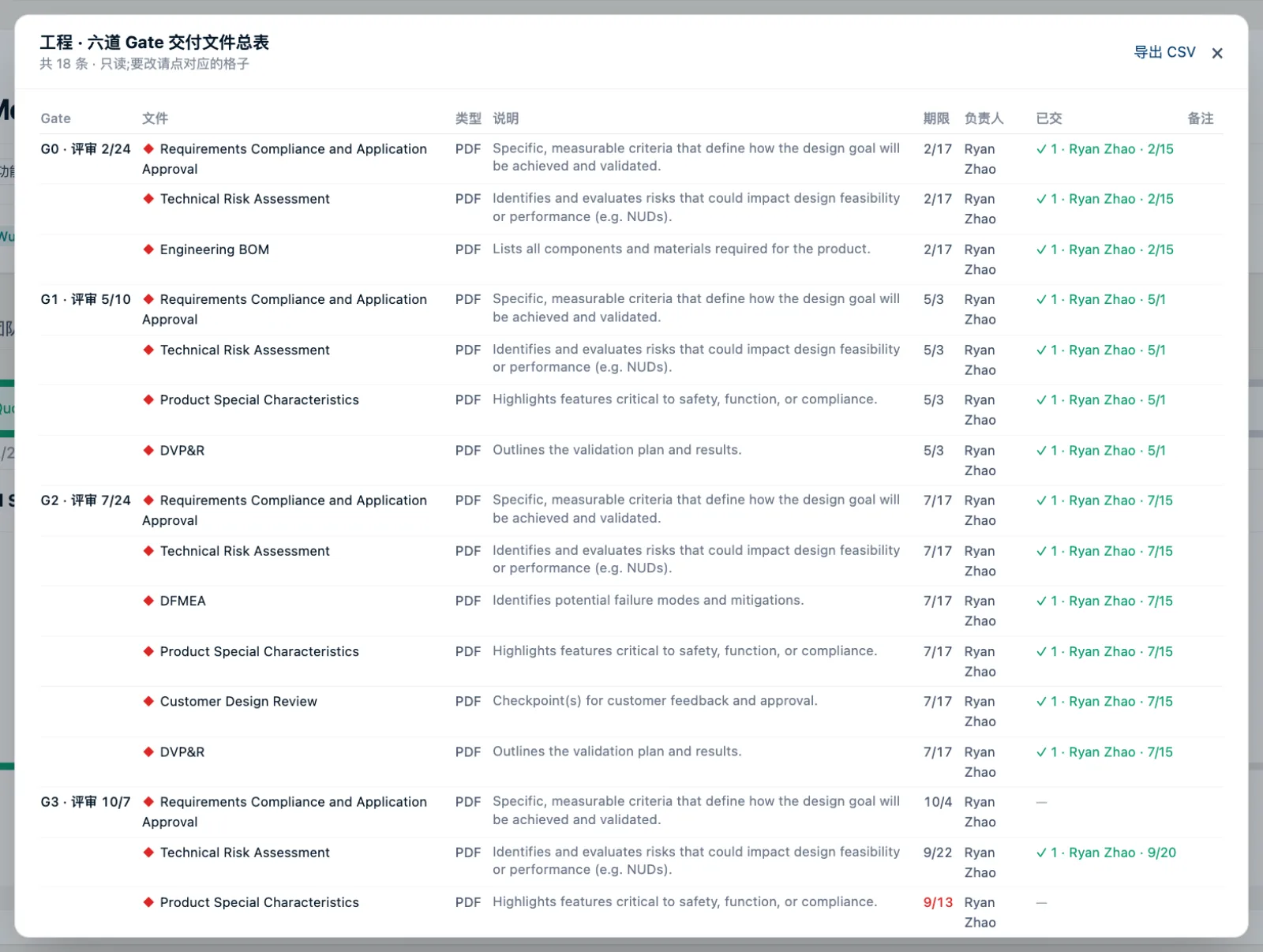
上半是 PM 检查表,逐项评级。下半是最常用的文件提交矩阵:行是部门,列是 Gate,每格「已收 / 应收」和状态色。点开一格就是这个部门在这个 Gate 要交的条目清单。
The top half is the PM checklist, rated item by item. The bottom half is the deliverable matrix: departments as rows, gates as columns, each cell "received / required" with a state colour. Open a cell for that department's item list at that gate.
5把人拉进来:团队与邀请Bringing people in: team and invitations
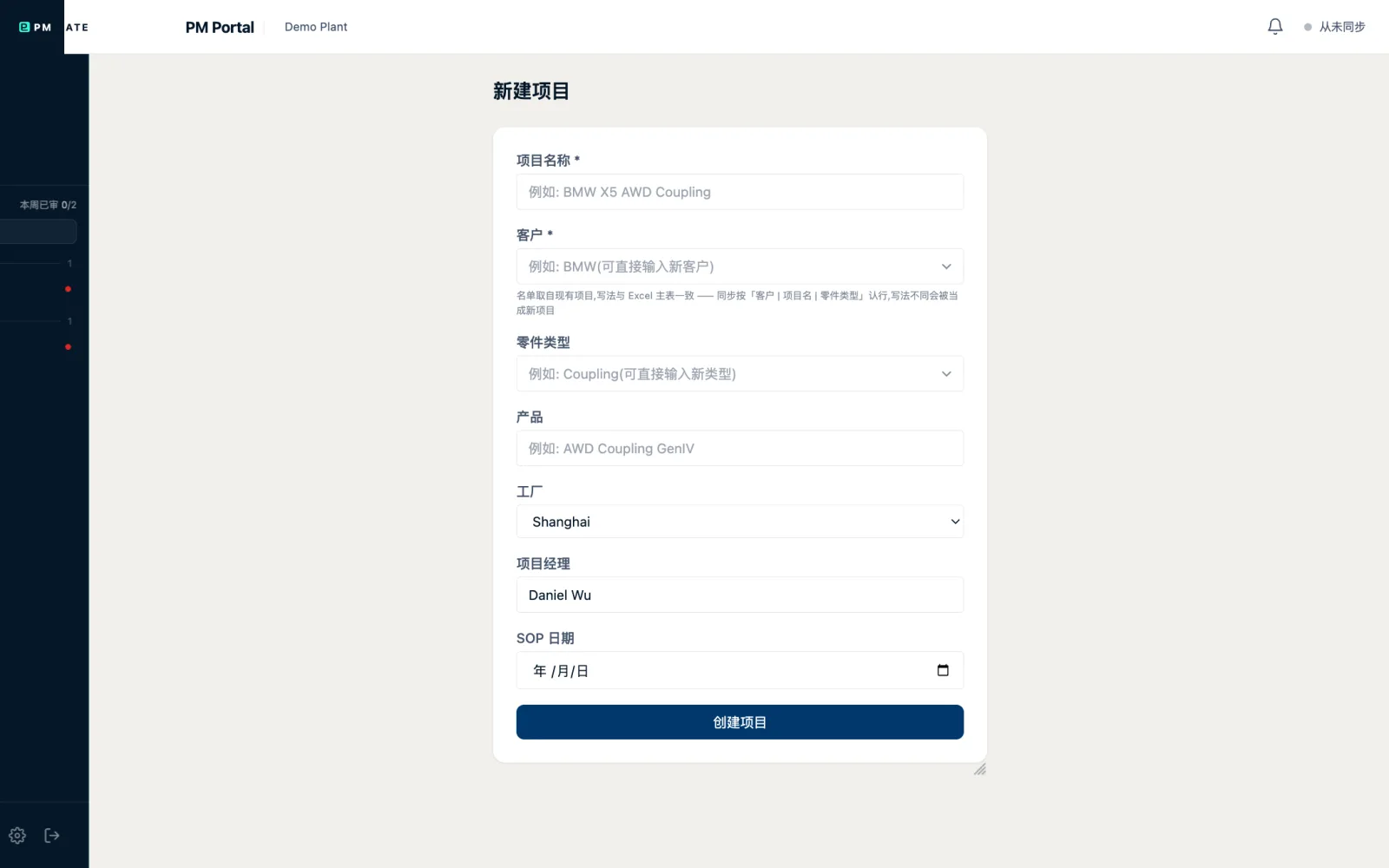
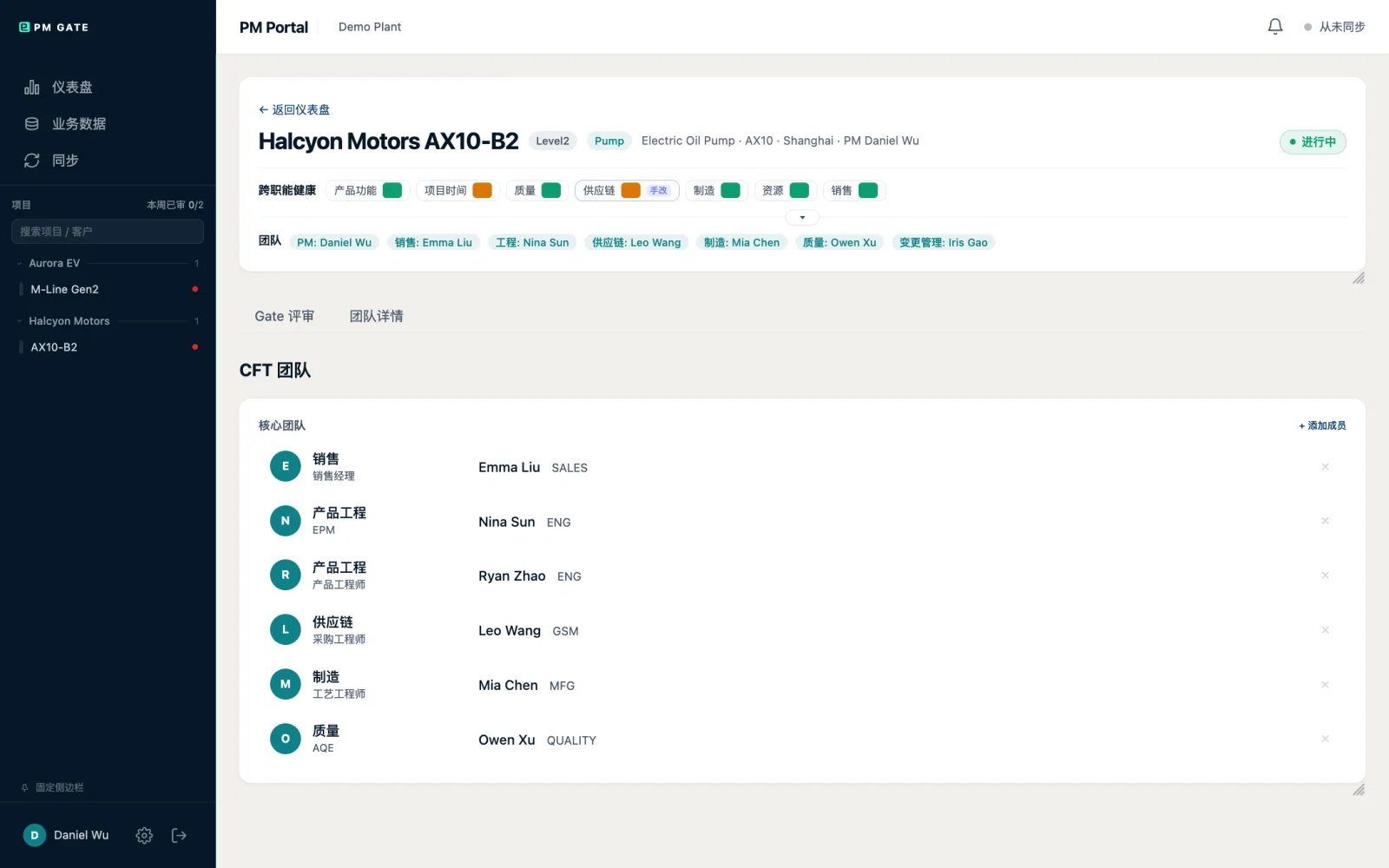
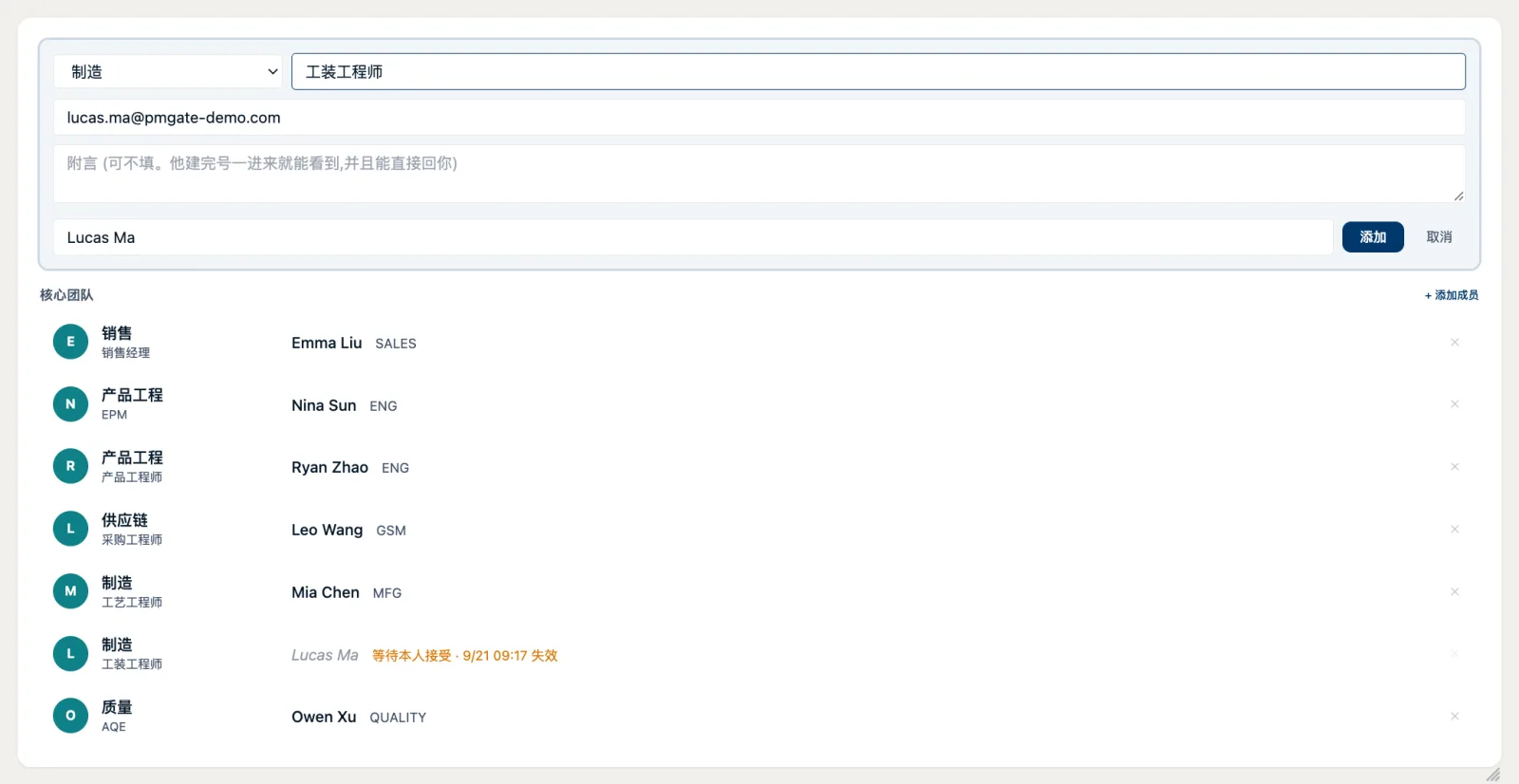
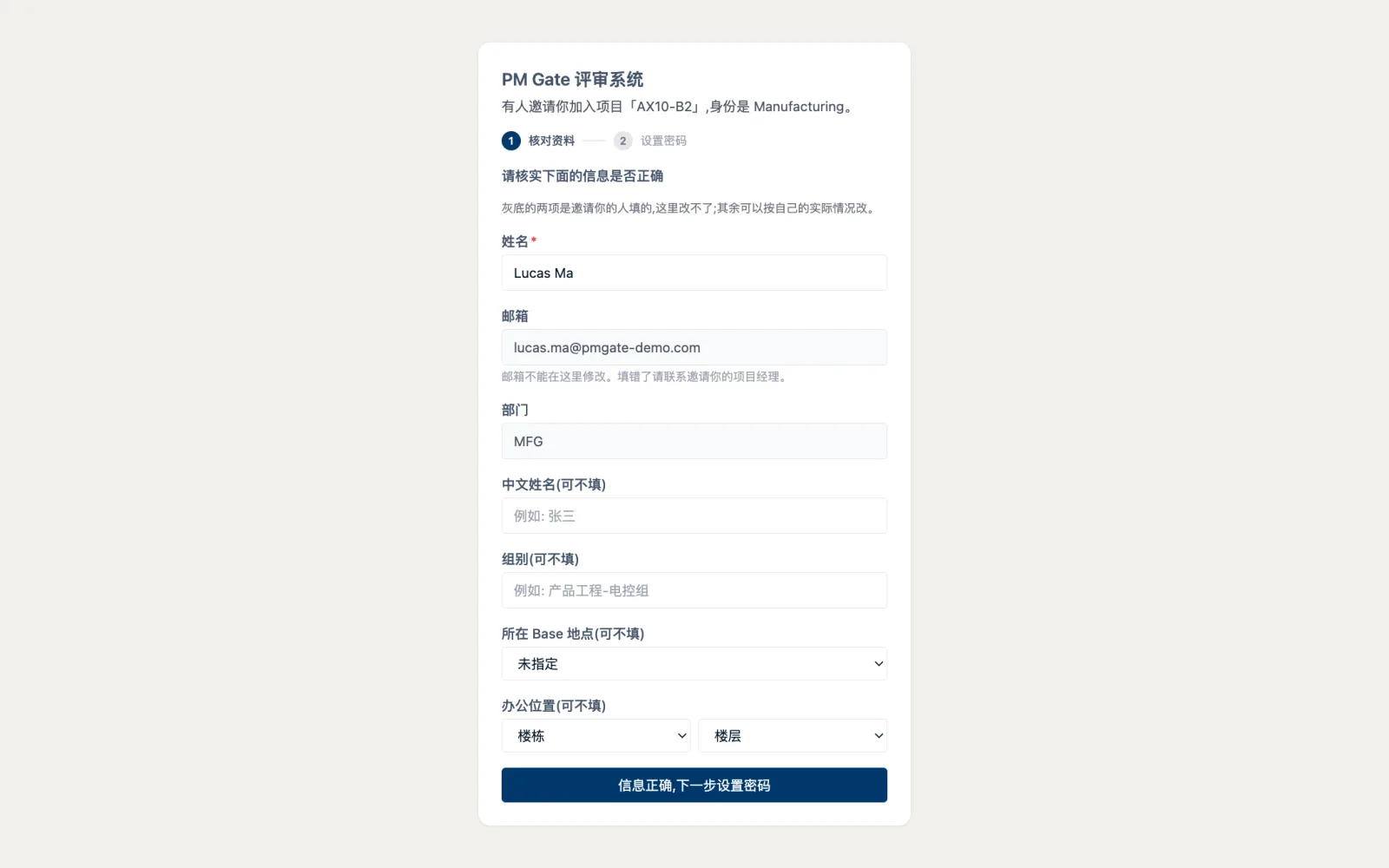
新同事没有账号时,PM 填姓名和邮箱发出邀请,对方从一次性链接进来自己设密码,账号才建立。没有「初始密码在群里飞」。
When a new colleague has no account, the PM enters a name and e-mail; the invitee opens a one-time link and sets their own password. No initial password ever circulates in a chat group.
6换到部门同事的视角Switching to the department side
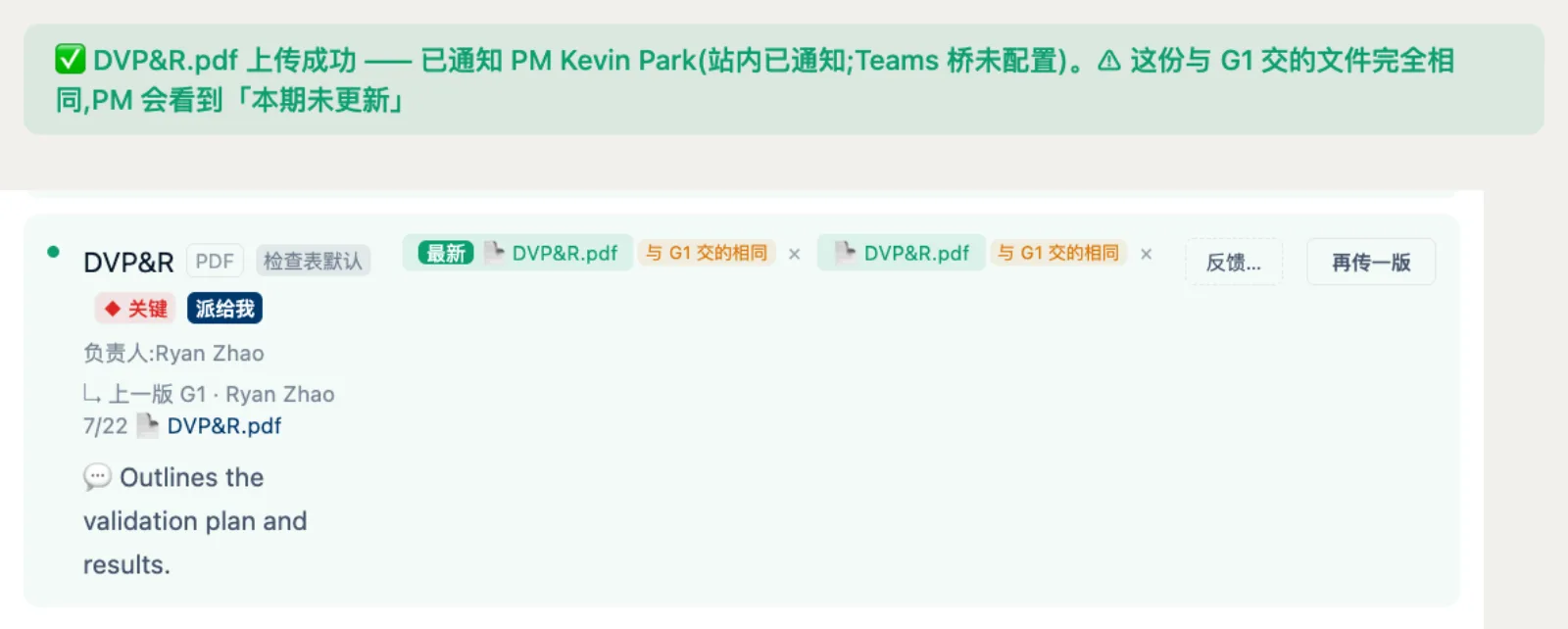
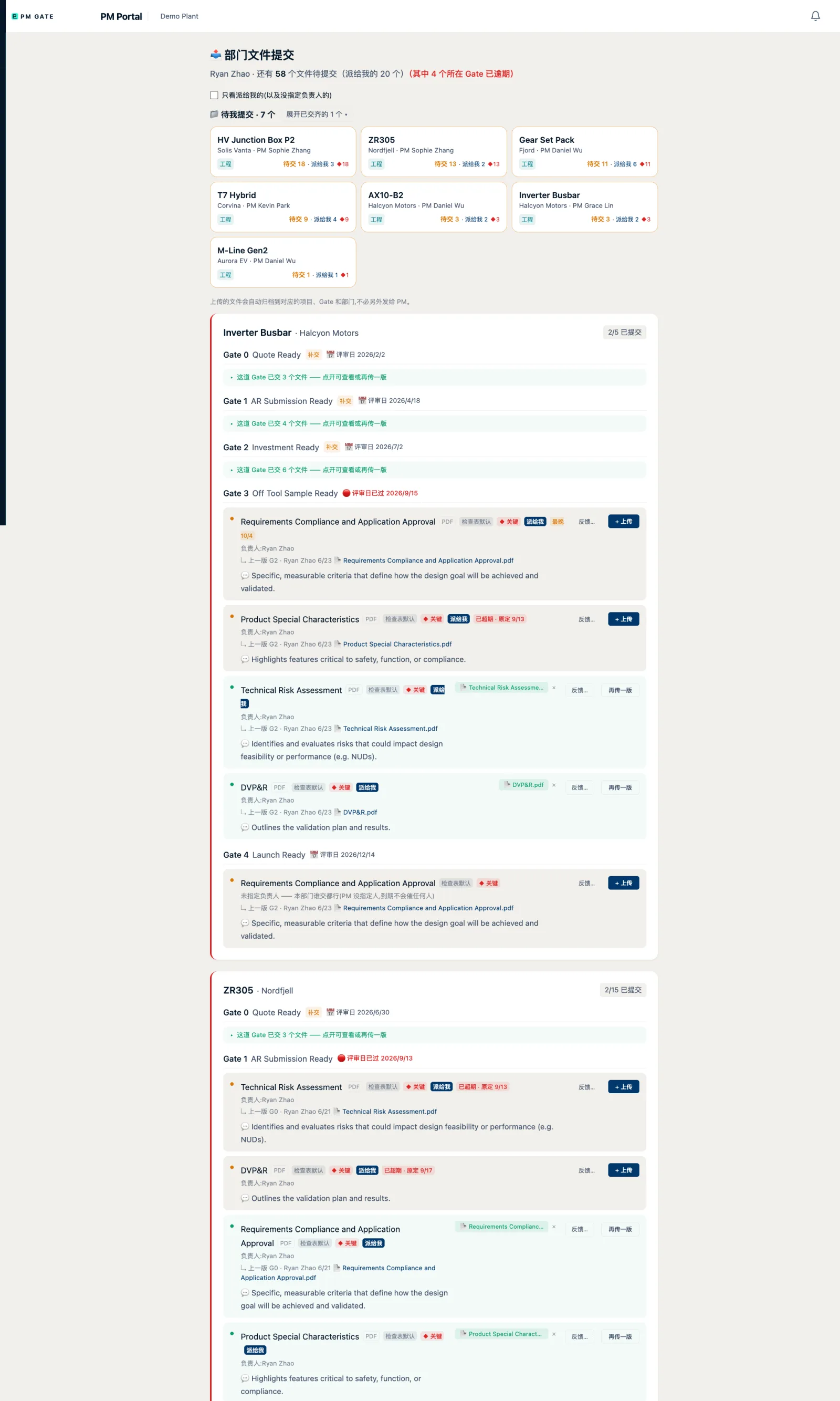
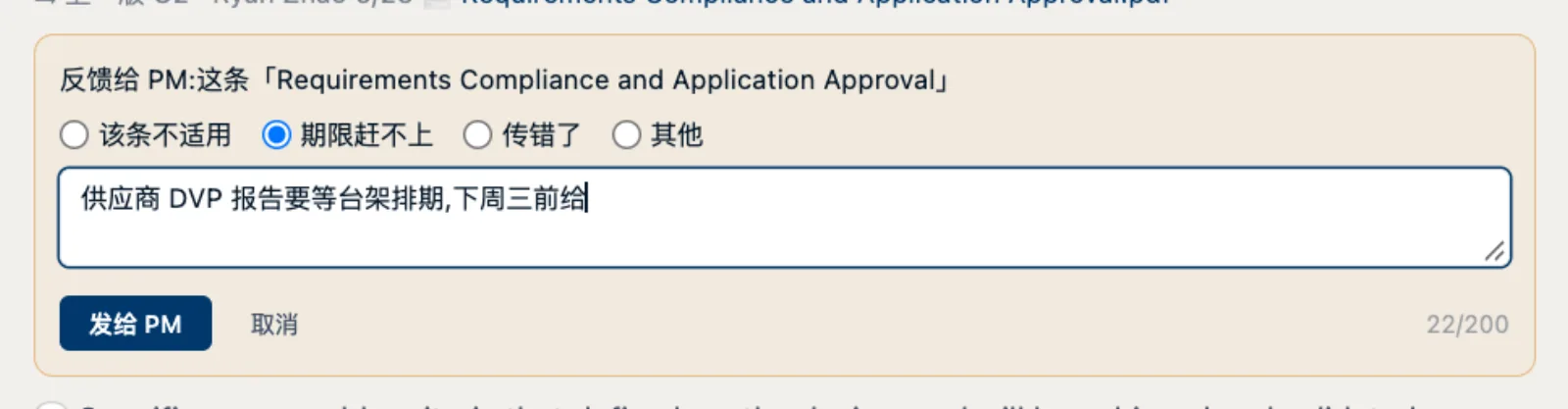
部门同事只看派给自己的条目:期限、上传、上一版。交不了就做结构化反馈,PM 那边同步看到;传完文件,PM 打开着的矩阵格子自己会更新。
A department member sees only their own items: due date, upload, previous version. If something cannot be delivered they give structured feedback that the PM sees at once; after an upload, the PM's open matrix cell updates by itself.
7系统替你盯着:催办与通知The system keeps watch: reminders and notifications
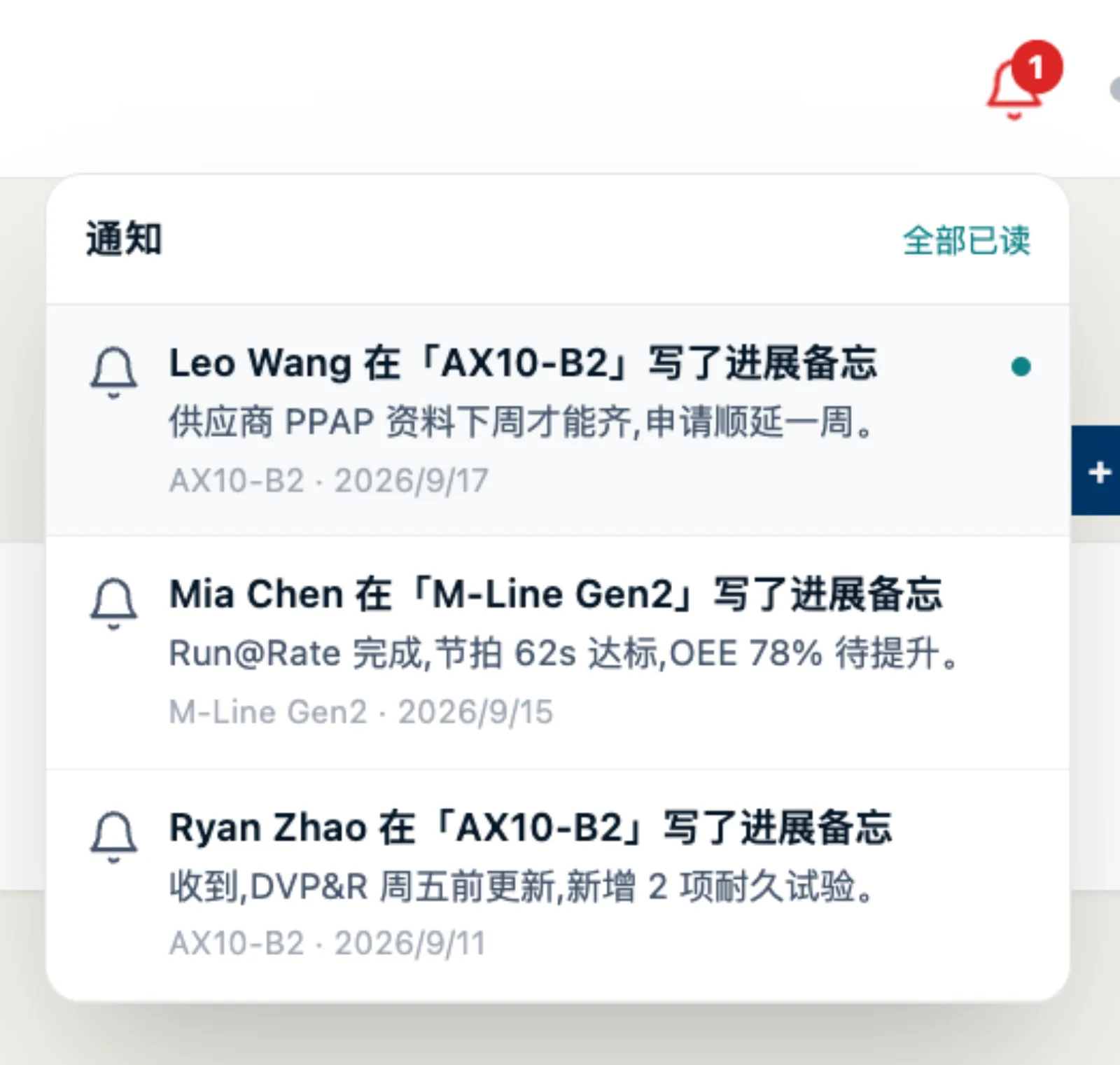
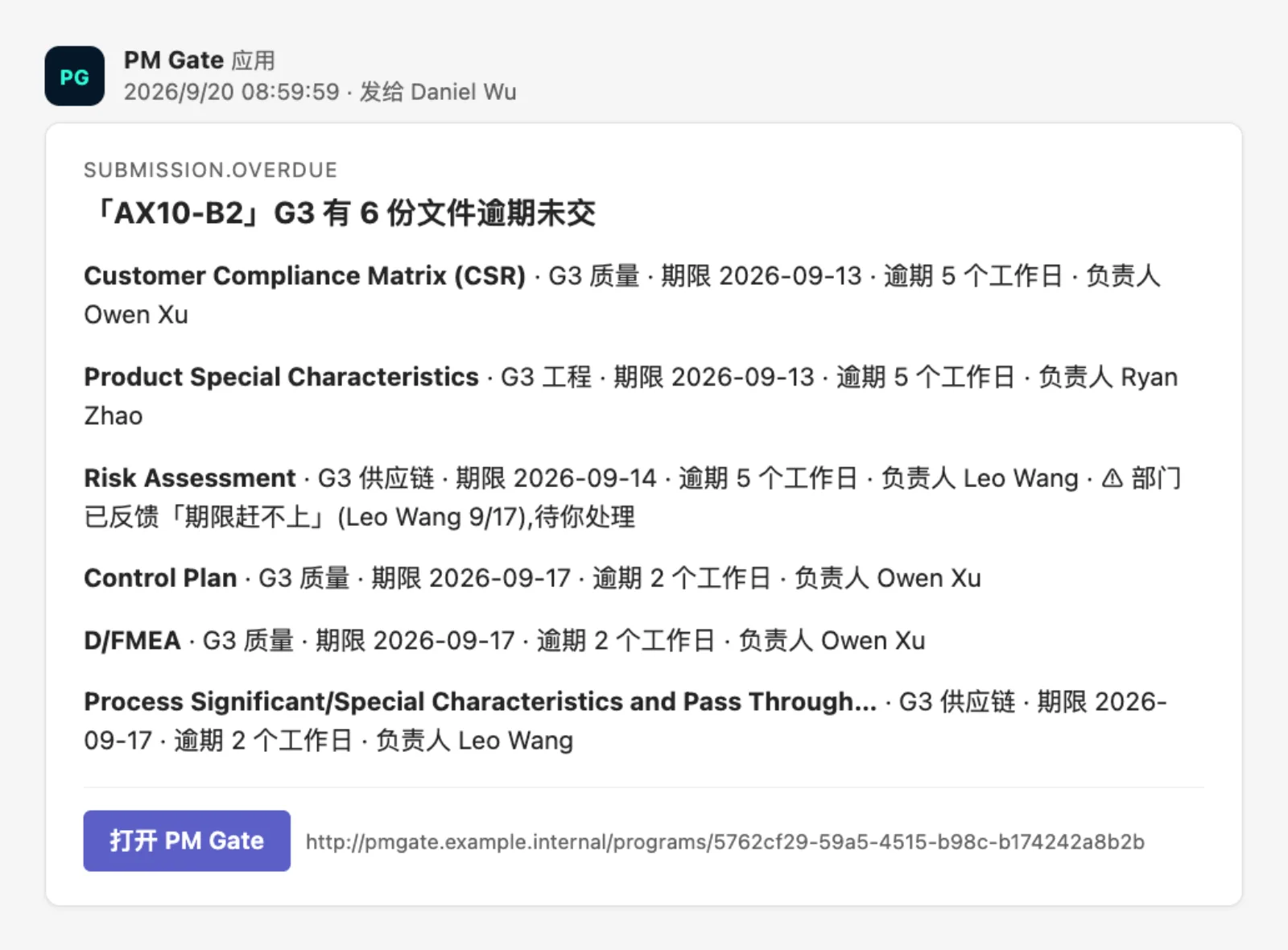
这是把 PM 从「问」里解放出来的部分。按工作日判逾期,先催负责人,再逐级报 PM;站内铃铛实时推送,可选 Teams 卡片。
This is what frees the PM from asking. Overdue is judged in working days: the owner is chased first, then the PM is escalated to; the in-app bell pushes live, Teams cards are optional.
| 对象 | Who | 什么时候收到 | When |
|---|---|---|---|
| 条目负责人Item owner | 临期提前提醒;逾期后每天最多 3 次,只在 9:00–17:00Early warning before due; once overdue up to 3 times a day, 9:00–17:00 only | ||
| PM | 逾期后前 3 个工作日各一次;之后每 5 个工作日升级一次Once on each of the first 3 working days; then an escalation every 5 working days | ||
| 不催Never | 项目暂停或关闭;条目被反馈「不适用」或「赶不上」;PM 已标记处理Program on hold or closed; item fed back as not applicable or can't make it; PM already handled it |
8每周例行:周会审核The weekly routine: review marks
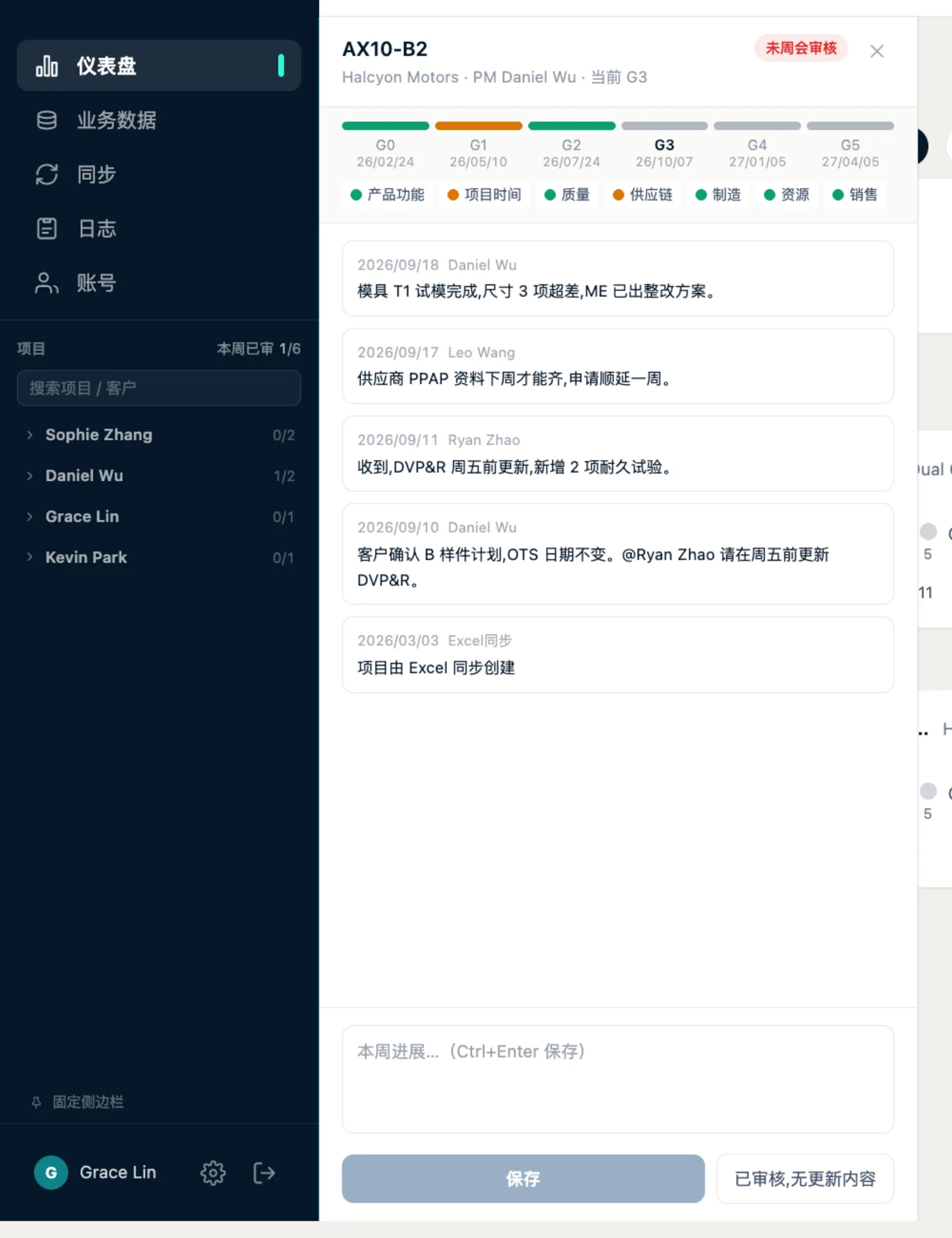
Leader 设定审核日。到了那天,每个项目的本周进展在侧栏面板里过一遍,标「已审核」或「无更新」;侧栏顶部显示「本周已审 x / y」,谁没审一目了然。
The Leader sets the review day. On that day each program's entries are reviewed in the sidebar panel and marked "reviewed" or "no update"; the sidebar shows "reviewed x / y", so it is obvious who has not.
9与既有 Excel 共存:同步Living with the existing Excel: sync
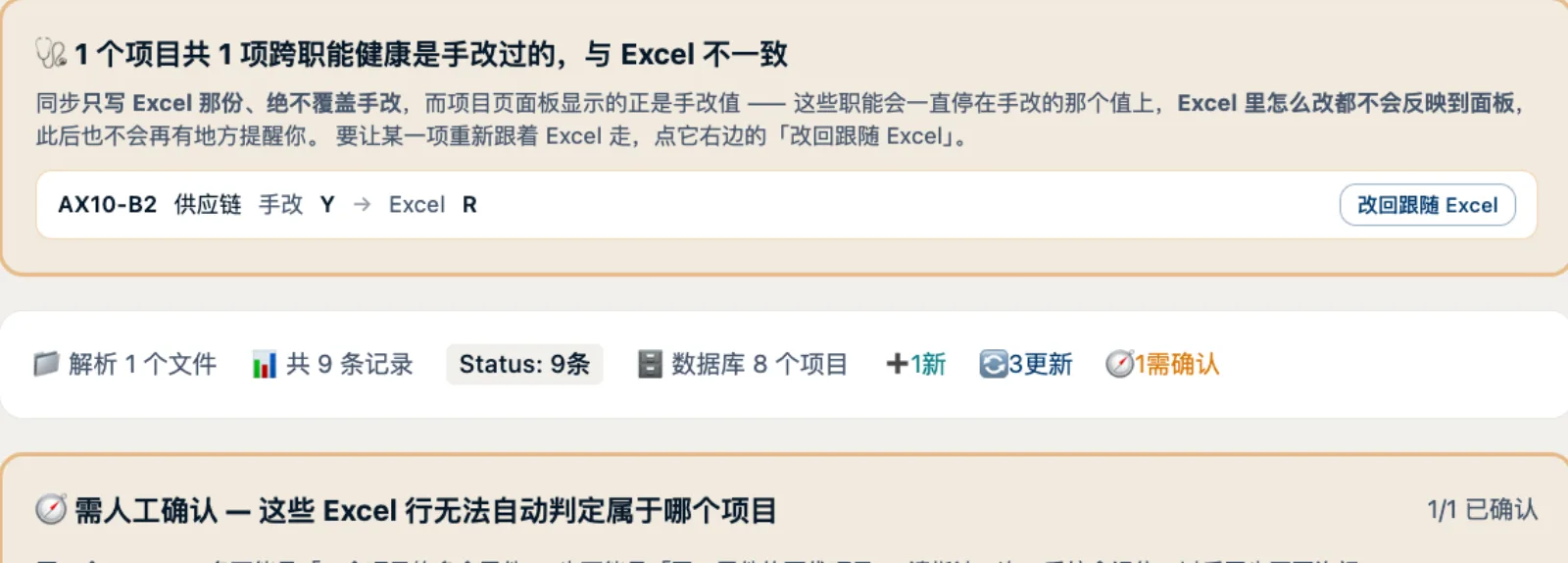
团队原来的表不用废。拖进来,系统识别是哪张表,逐条预览差异:新增了什么、改了什么、哪些和系统里的手改冲突、哪些行要人工指认。确认后才写库,写错可撤销。
The team's workbooks stay in use. Drop one in and the system recognises it and previews every difference: what is new, what changed, what conflicts with a manual change, which rows need a human to assign. Nothing is written until confirmed, and a sync can be undone.
10Leader 的管理台The Leader console
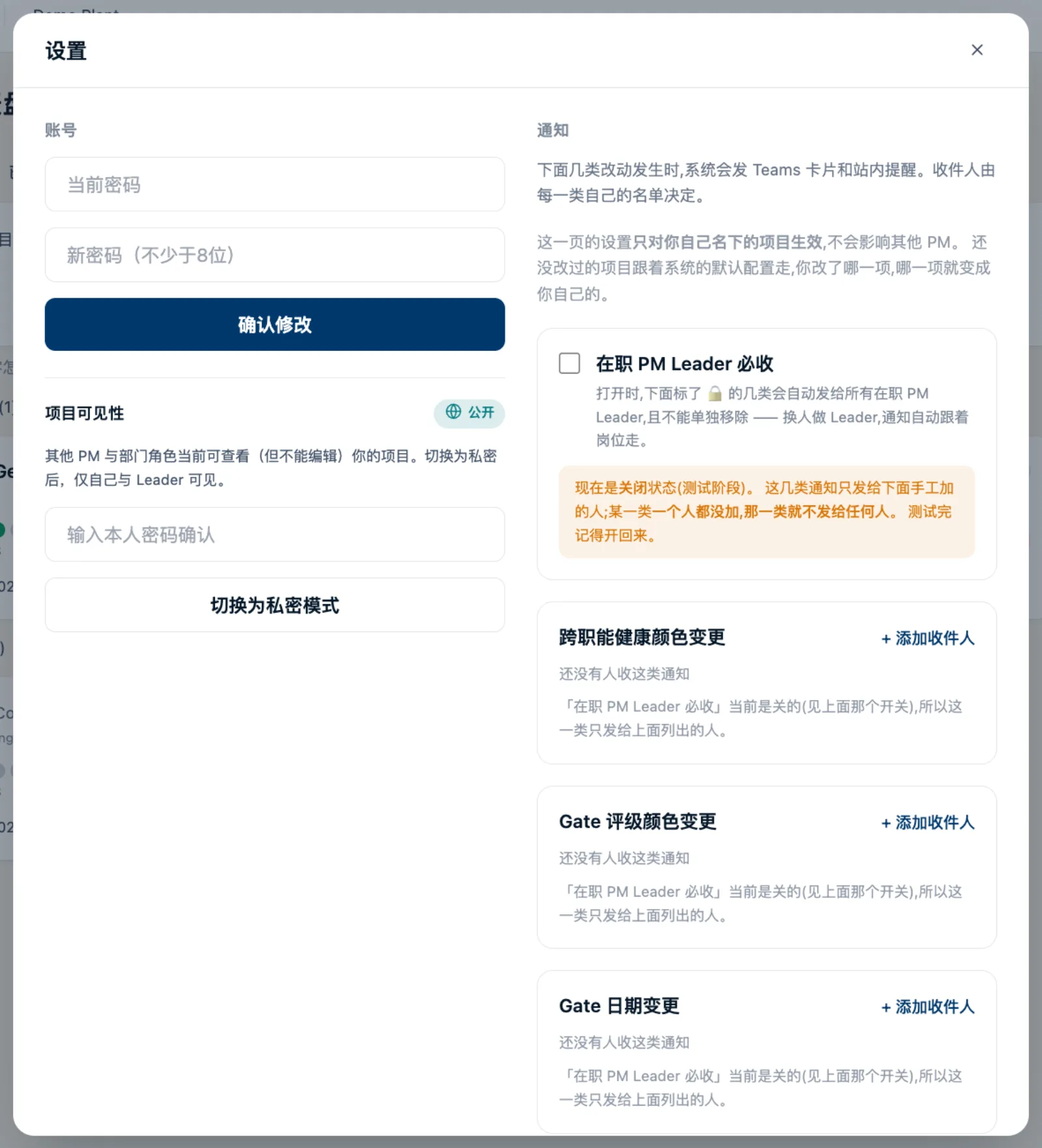
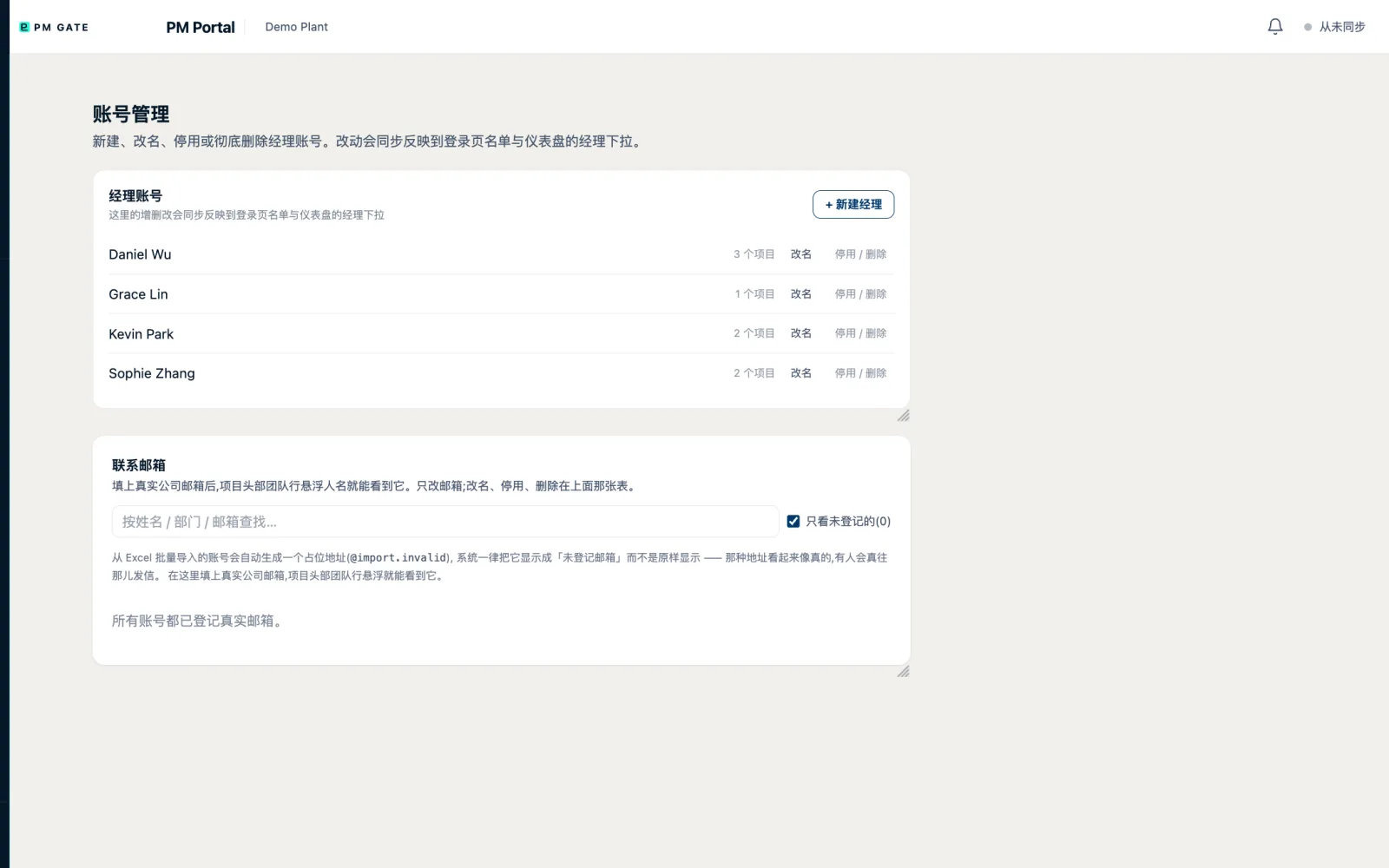
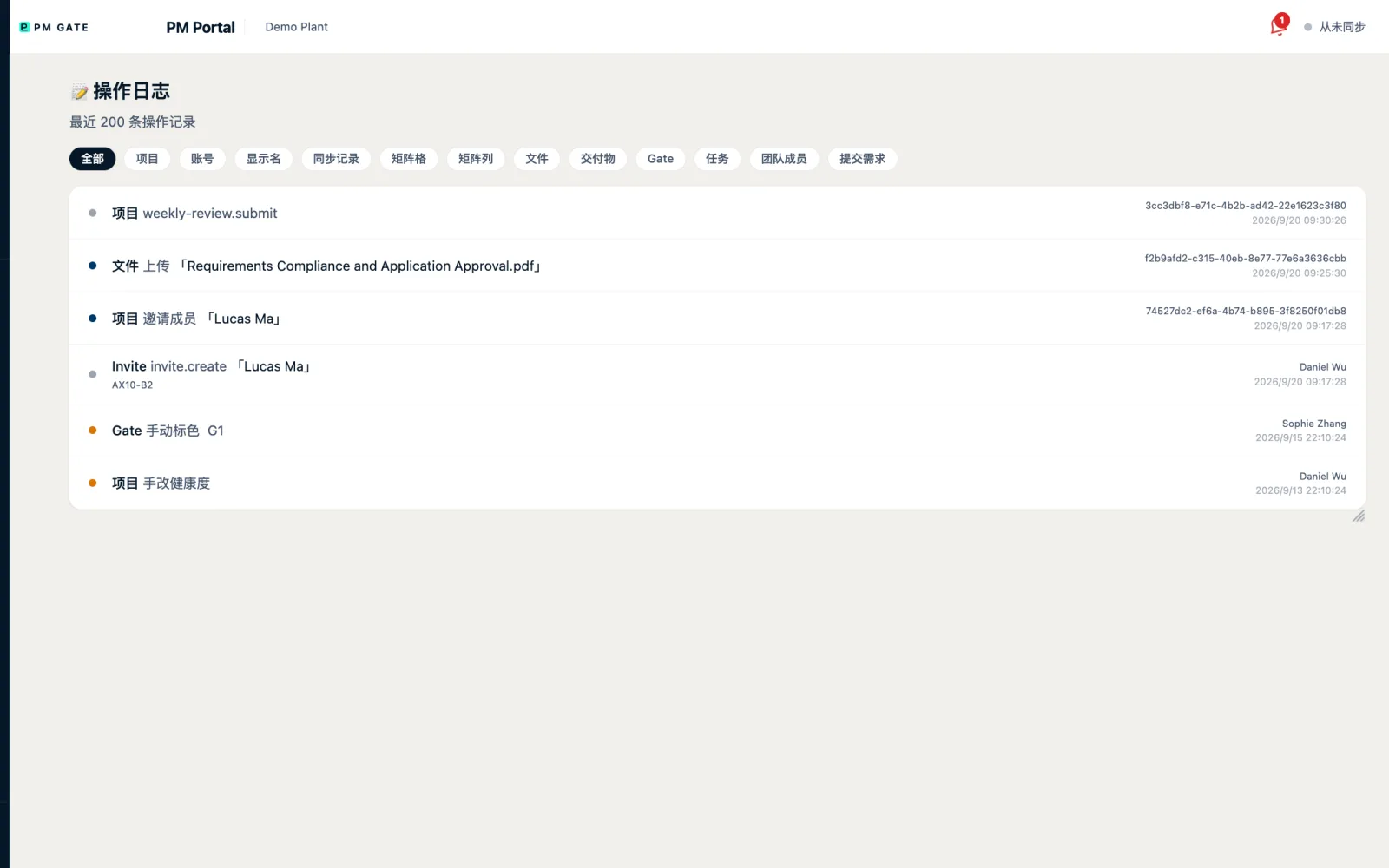
账号管理、审计日志、项目负责人转移、归档,只有 PM Leader 能做。全站三处强制填变更原因:Gate 评级、健康度颜色、Gate 日期。
Account management, the audit log, transferring a program's owner and archiving are Leader-only. Three site-wide mandatory change reasons: gate rating, health colour, gate date.
11一个项目的终点Where a program ends
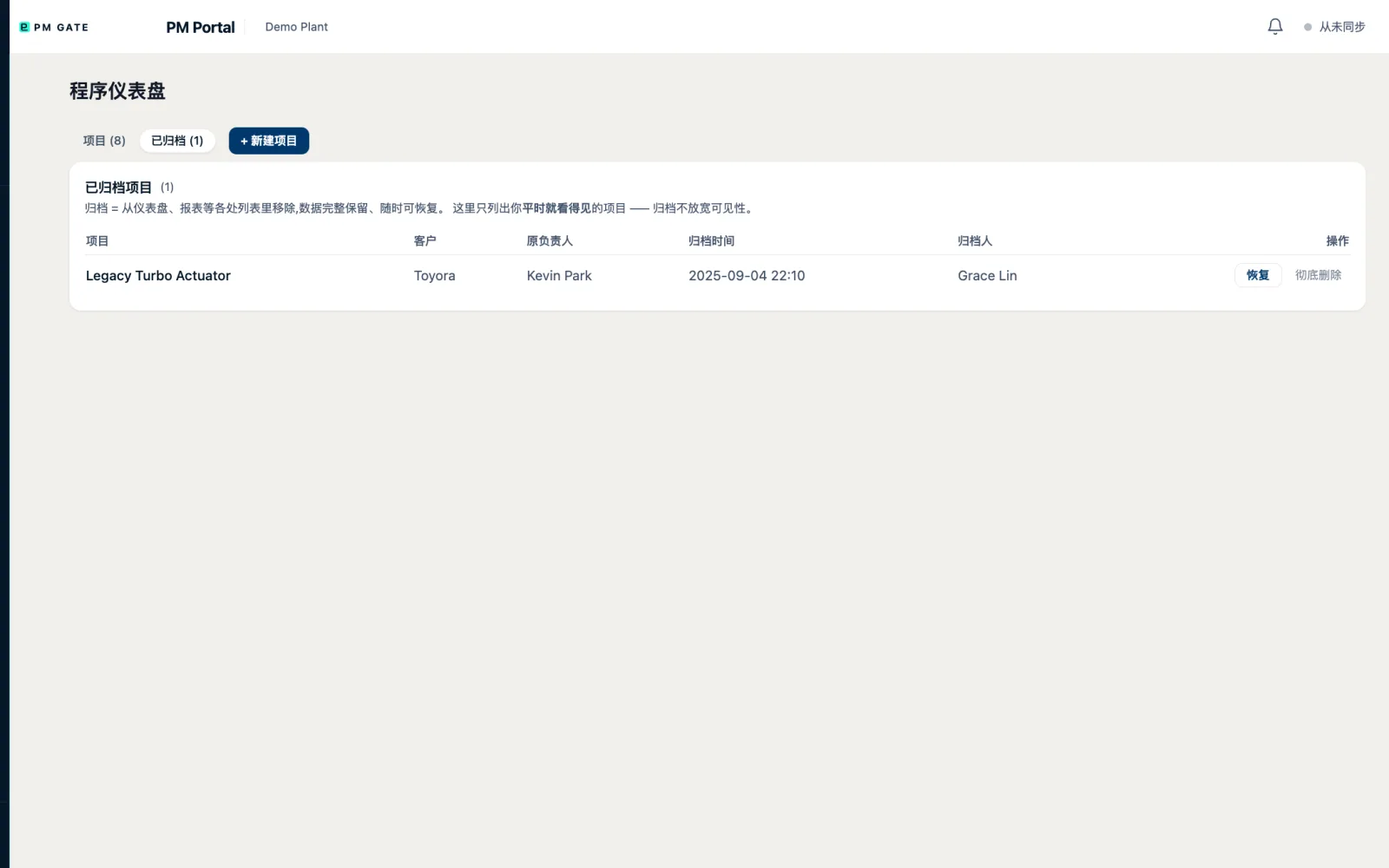
Gate 5 通过、SOP 后 90 天跟踪结束,项目标为 Closed 并归档。历史上每一次日期改动、颜色改动、每一份文件的版本都还在,复盘不用翻邮件。
Gate 5 passed and the 90-day post-SOP watch done, the program is closed and archived. Every date change, colour change and file version is still there, so a retrospective never means digging through e-mail.
12你看不见但一直在的部分What you do not see but is always there
- 服务端鉴权Server-side authorisation每个页面和接口都在中间件拦,不靠前端藏按钮;会话是 HMAC 签名令牌,密钥不下发;登录限流。Every page and endpoint is guarded in middleware, not by hiding buttons; sessions are HMAC-signed tokens whose key never leaves the server; login is rate-limited.
- 真正不可点Really disabled没权限的人看到的控件是禁用的,不会出现「点了没反应」。Users without permission get controls that are disabled, never "clicked and nothing happened".
- 变更都留痕Everything leaves a trace评级、颜色、日期、文件版本、催办、同步,全部可追溯,可撤销的都能撤销。Ratings, colours, dates, file versions, reminders and syncs are all traceable; what can be undone can be undone.
- 离线可跑Runs offline单仓全栈,不依赖任何外部服务;生产跑在 Windows Server + SQL Server,开发与演示用 SQLite。One full-stack repo with no external services; production on Windows Server + SQL Server, development and demo on SQLite.
- 1600 多条测试1,600+ tests160 个测试文件守着上面每一条规则,零测试框架依赖。160 test files guard every rule above, with no test-framework dependency.
- Next.js 14 + PrismaApp Router、Tailwind、SSE 实时通知、Excel 解析、可选 Teams 桥。App Router, Tailwind, SSE live notifications, Excel parsing, optional Teams bridge.